SMART4K IPTV · Edmonton & Northern Alberta

IPTV Edmonton for homes that want a clearer setup.

If you are comparing IPTV options in Edmonton, start with the details that affect your actual evening at home: the device on your TV, the strength of your network and the support available when you need help.

Edmonton & Northern Alberta enquiries Device guidance Human support
Warm Edmonton family den prepared for home IPTV streaming Edmonton Home viewing guide
For Edmonton homes and families Comfortable viewing begins with a sensible setup.

Check the device, network and support details first. The plan choice gets easier after that.

Edmonton & areaLocal enquiries welcome
Current plansSee the live pricing page
Familiar devicesFirestick, Android TV, Smart TVs
Real supportTalk to the team before you order
Edmonton and surrounding communities

A local page for people who want useful answers.

SMART4K receives enquiries from Edmonton and surrounding communities. This guide is built for apartment renters, townhouse families, multilingual households and viewers who want to understand the setup before they commit.

Plans, device compatibility and channel availability can change, so check the current details with the team before subscribing. The areas below are communities we hear from, not separate offices or local branches.

Built around your household

Choose a setup around real Edmonton routines.

Every home watches differently. Start from what your evenings actually look like, then match the device and support to them.

Winter evenings

Keep the main device close to a stable connection and make sure updates are installed before a busy viewing night.

Family viewing

Plan around the TV that matters most, then confirm whether other screens and mobile devices are supported.

Multilingual homes

Ask about current language and international categories instead of assuming a generic channel list is complete.

Apartment networks

Check Wi-Fi strength in the room where you watch.
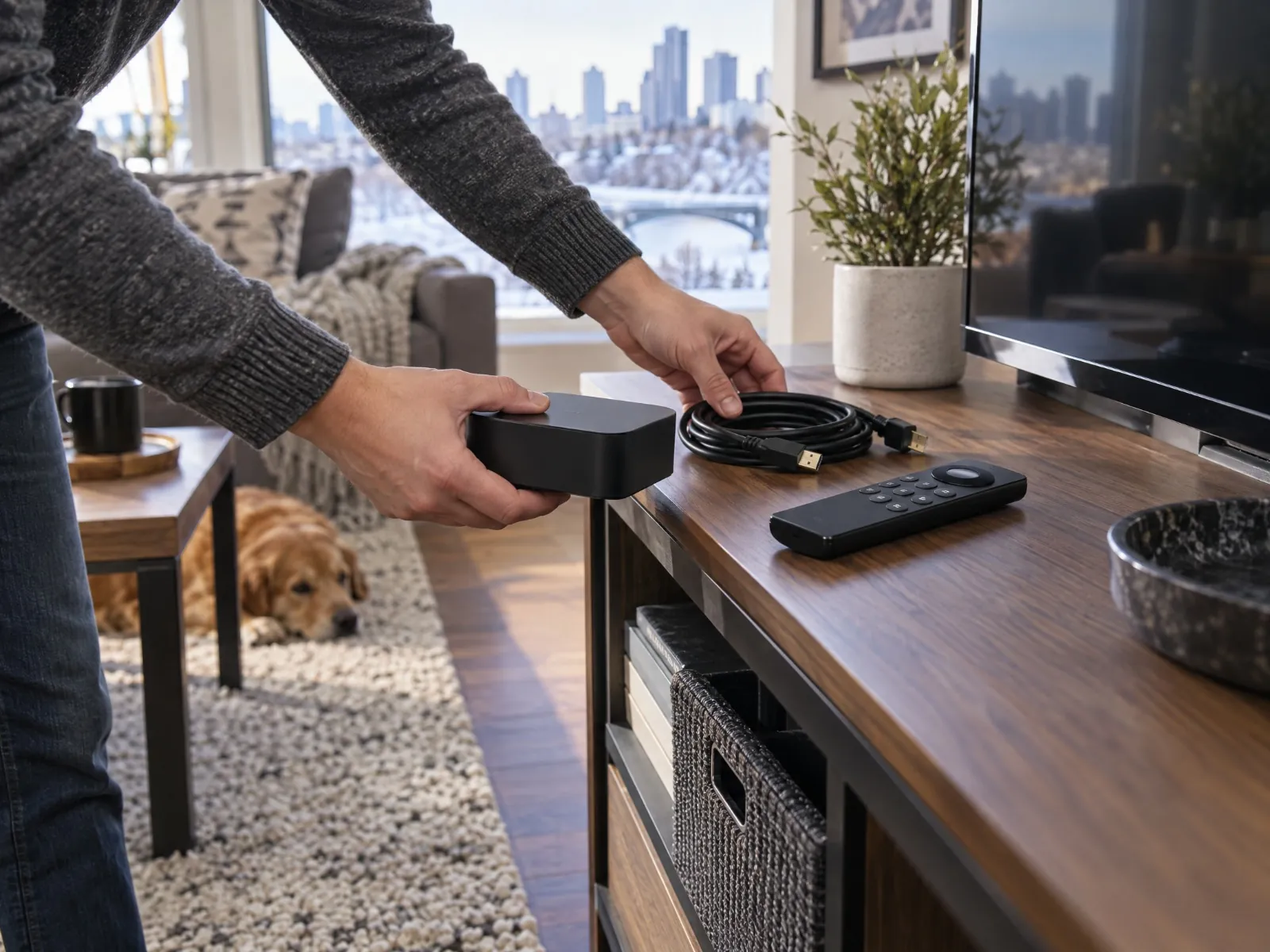
Streaming device, remote and HDMI cable being organized in an Edmonton home First-evening check
Start with the device, cable and connection.

A few minutes of checking now saves time later.

Home setup

Before you order, make the first evening easier.

Most setup frustration comes from a mismatch between the service, the device and the home network. A few minutes of checking can save a lot of back-and-forth later.

  • Confirm the exact device model
  • Test Wi-Fi beside the TV
  • Use Ethernet where available
  • Update the app and device
  • Save support contact and login details
Read the buffering guide
What to ask before you subscribe

Good questions lead to a better choice.

Bring these to the team and you will get a clearer answer, faster.

Current availabilityConfirm the options available for your area today
Sports and live eventsAsk about the specific events and channels you follow
Language categoriesCheck which international categories are current
Your device modelShare the exact TV or streaming device you use
Plan lengthCompare plan durations on the pricing page
Setup helpAsk what guidance is available for your device
Device support

Use the screen you already know.

Device support can change, so confirm current compatibility with the team before you choose a plan.

Want to compare the current plans?

The pricing page shows the latest plan lengths and included features. If you are not sure which one fits your household, ask the team first.

View plans
Edmonton support

Talk to a real person before you decide.

Send your preferred device, the type of viewing you need and any setup question you already have. The team can point you to relevant information and help you avoid an unsuitable setup.

  • Tell us your preferred device
  • Describe the viewing you need
  • Ask the setup question you already have
  • Get pointed to the right information
Support specialist reviewing a streaming setup checklist with an Edmonton customer Real people, real answers
Clear answers before you commit.

Bring your device list and your questions.

Edmonton IPTV FAQ

Answers before you subscribe.

Straight answers to the questions Edmonton customers ask most. If yours is not here, the team is happy to help.

Is SMART4K available in Edmonton?
This page is for customers in Edmonton and nearby communities such as St. Albert, Sherwood Park, Spruce Grove, Leduc and Fort Saskatchewan. Availability, plans and device support can change, so contact the team to confirm current options before subscribing.
What should I check before installing IPTV at home?
Confirm the exact model of your TV or streaming device, test the Wi-Fi signal beside the TV, use Ethernet where available, install any app and device updates, and keep your login and support details somewhere easy to find.
Can I use IPTV on a Smart TV or Firestick?
Firestick, Android TV, Samsung and LG Smart TVs and mobile devices may be supported, depending on the model and the app. Share your exact device with the team to confirm current compatibility before ordering.
Does weather affect IPTV?
IPTV is delivered over your internet connection rather than a satellite dish, so snow or cold on its own does not interrupt it. Your viewing depends on your internet service, home network and device, so anything that affects your connection can affect streaming too.
Can I ask about sports or international categories?
Yes. Sports and international availability can change by package and source, so ask the team about the specific events, channels and language categories you want before subscribing.
Is IPTV legal in Edmonton?
IPTV is a method of delivering television content over the internet. The legality of a particular service depends on whether the provider is authorized to distribute the content. Confirm the provider's terms, authorization and applicable Canadian requirements before subscribing.

Have an Edmonton setup question?

Tell us your device and what you like to watch. We will confirm the current options and point you to the right setup information.

Plans, channel availability and device support can change. Please confirm current details, terms and service availability with the SMART4K team before ordering. See our terms and privacy policy. For general Canadian consumer and business information, visit Canada.ca.